The 10 Best Speech-to-Text Apps in 2024: Complete Guide & Reviews
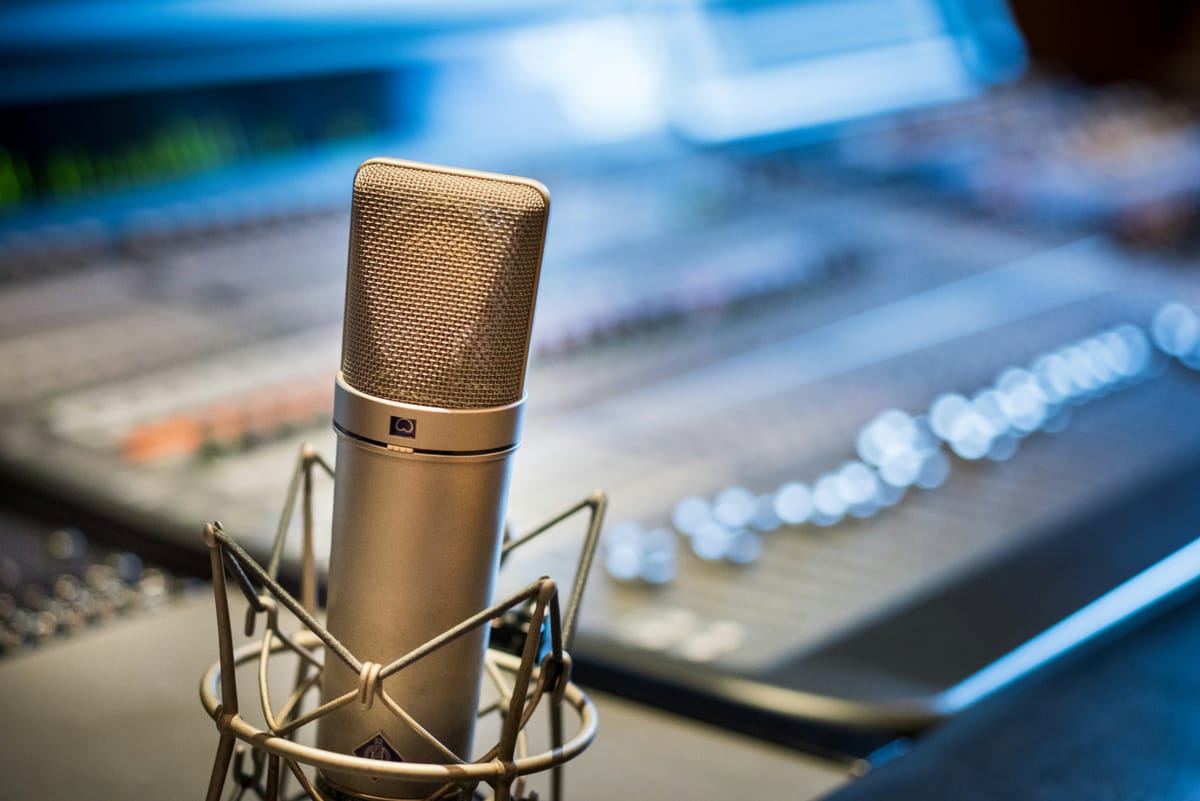
Voice recognition technology has revolutionized how we interact with our devices, transforming spoken words into text with remarkable accuracy. Whether you're a busy professional dictating emails on the go, a student capturing lecture notes, or someone with accessibility needs, the right speech-to-text app can dramatically boost your productivity and communication effectiveness.
But with dozens of options flooding the market, each promising superior accuracy and features, choosing the perfect app feels overwhelming. Some excel at real-time transcription, others shine in multilingual support, and many fall short when background noise enters the equation.
In this comprehensive guide, we've tested and evaluated the top 10 speech-to-text apps of 2024, examining everything from accuracy rates and language support to pricing and unique features. You'll discover which apps handle different accents best, which ones work offline, and exactly which tool matches your specific needs and budget.
How We Tested These Speech-to-Text Apps
Our evaluation process involved real-world testing across multiple scenarios to ensure practical, reliable recommendations. We tested each app using:
- Diverse speaking conditions: Quiet environments, noisy backgrounds, and various distances from the microphone
- Multiple speakers: Different accents, speech patterns, and speaking speeds
- Content variety: Technical jargon, casual conversation, formal presentations, and industry-specific terminology
- Device compatibility: Performance across smartphones, tablets, and desktop computers
- Integration capabilities: How well each app works with popular productivity tools
We measured accuracy rates, response times, feature completeness, and overall user experience to create our rankings.
Top 10 Speech-to-Text Apps of 2024
1. Dragon NaturallySpeaking (Nuance)
Best Overall for Professional Use
Dragon NaturallySpeaking remains the gold standard for professional speech recognition software. With over two decades of development, this powerhouse delivers industry-leading accuracy that improves as it learns your voice patterns and vocabulary.
Key Features:
- 99% accuracy rate with proper training
- Custom vocabulary and command creation
- Deep learning voice adaptation
- Professional templates for legal, medical, and business use
- Full document formatting and editing capabilities
- Integration with Microsoft Office, WordPerfect, and other business applications
Pros:
- Exceptional accuracy, especially for long-form content
- Robust customization options
- Professional-grade features
- Strong technical support
Cons:
- Steep learning curve
- Higher price point ($300-500)
- Windows-only availability
- Requires significant setup time
Best For: Legal professionals, medical practitioners, authors, and anyone who needs maximum accuracy for extended dictation sessions.
Pricing: Professional: $300, Legal: $500, Medical: $500
2. Otter.ai
Best for Meeting Transcription and Collaboration
Otter.ai has carved out a unique niche in the speech-to-text market by focusing specifically on meeting transcription and collaborative note-taking. Its real-time transcription capabilities and speaker identification make it invaluable for team environments.
Key Features:
- Real-time transcription with live captions
- Automatic speaker identification and labeling
- Meeting summary generation
- Searchable transcription archive
- Integration with Zoom, Microsoft Teams, and Google Meet
- Collaborative editing and highlighting
- Mobile and web application availability
Pros:
- Excellent meeting integration
- Speaker identification accuracy
- Collaborative features
- Generous free tier (600 minutes monthly)
- Cloud synchronization across devices
Cons:
- Limited customization for specialized vocabulary
- Requires internet connection
- Accuracy decreases with background noise
- Speaker identification struggles with similar voices
Best For: Business teams, remote workers, students, journalists, and anyone who frequently attends meetings or interviews.
Pricing: Free (600 min/month), Pro ($10/month), Business ($20/month)
3. Google Docs Voice Typing
Best Free Option
Google's voice typing feature, built into Google Docs, offers surprisingly robust speech recognition capabilities at no cost. While it lacks advanced features, its accuracy and seamless integration with Google Workspace make it an excellent choice for casual users.
Key Features:
- Real-time transcription directly in Google Docs
- Voice commands for punctuation and formatting
- Support for 100+ languages
- Automatic punctuation
- Integration with Google Workspace
- Cross-device synchronization
- No installation required
Pros:
- Completely free
- No setup required
- Excellent integration with Google services
- Strong accuracy for general use
- Multilingual support
- Works on any device with Chrome browser
Cons:
- Limited formatting options
- No offline functionality
- Basic feature set
- Requires Google account
- Can't customize vocabulary extensively
Best For: Students, casual users, Google Workspace users, and anyone needing basic speech-to-text functionality without cost.
Pricing: Free with Google account
4. Microsoft Dictate
Best for Office 365 Users
Microsoft Dictate seamlessly integrates with the Office 365 suite, providing native speech recognition capabilities across Word, Outlook, PowerPoint, and other Microsoft applications. Its deep integration and consistent performance make it ideal for Microsoft-centric workflows.
Key Features:
- Native integration with Office 365 applications
- Real-time transcription and voice commands
- Support for 20+ languages
- Punctuation and formatting voice commands
- Automatic language detection
- Cross-application consistency
- Cloud-based processing for improved accuracy
Pros:
- Seamless Office integration
- No additional software installation
- Consistent experience across Microsoft apps
- Regular accuracy improvements
- Included with Office 365 subscriptions
Cons:
- Limited to Microsoft ecosystem
- Requires Office 365 subscription
- Fewer customization options than standalone solutions
- Performance varies by application
Best For: Office 365 subscribers, business users, Microsoft ecosystem enthusiasts.
Pricing: Included with Office 365 subscriptions ($6-22/month)
5. Amazon Transcribe
Best for Developers and Large-Scale Projects
Amazon Transcribe offers powerful API-based speech recognition designed for developers and businesses needing to process large volumes of audio content. Its machine learning capabilities and scalable infrastructure make it perfect for custom applications.
Key Features:
- RESTful API for custom integration
- Batch and real-time transcription options
- Custom vocabulary and language models
- Speaker identification and timestamp generation
- Support for multiple audio formats
- Automatic punctuation and formatting
- HIPAA-eligible service options
Pros:
- Highly scalable infrastructure
- Excellent API documentation
- Custom model training capabilities
- Pay-per-use pricing model
- Strong security and compliance features
- Integration with other AWS services
Cons:
- Requires technical expertise to implement
- No standalone user interface
- Costs can escalate with high usage
- Learning curve for non-developers
Best For: Developers, enterprises, content creators processing large audio volumes, applications requiring custom speech recognition.
Pricing: Pay-per-use: $0.024 per minute (first 12 months free tier available)
6. Rev.com
Best for High-Accuracy Professional Transcription
Rev.com combines AI transcription with human review services, offering both automated and human-generated transcripts. This hybrid approach delivers exceptional accuracy for important documents and professional content.
Key Features:
- AI transcription with human review options
- 99% accuracy for human transcription
- 24-hour turnaround for human services
- Mobile app with instant AI transcription
- Integration with Zoom, Dropbox, and other platforms
- Caption and subtitle services
- Multiple export formats
Pros:
- Exceptional accuracy with human review
- Professional quality output
- Fast turnaround times
- Excellent customer service
- Multiple service tiers available
Cons:
- Human transcription services are expensive ($1.50/minute)
- AI-only option less accurate than competitors
- Not suitable for real-time applications
- Limited customization options
Best For: Podcasters, content creators, legal professionals, researchers needing high-accuracy transcription.
Pricing: AI Transcription: $0.25/minute, Human Transcription: $1.50/minute
7. Speechmatics
Best for International and Multilingual Use
Speechmatics excels in multilingual speech recognition, supporting over 50 languages with impressive accuracy across different accents and dialects. Its global focus makes it ideal for international businesses and multilingual content creators.
Key Features:
- Support for 50+ languages and dialects
- Real-time and batch transcription APIs
- Custom language model training
- Speaker diarization and identification
- Punctuation and formatting automation
- On-premise deployment options
- Compliance with global data protection regulations
Pros:
- Extensive language support
- Strong accent and dialect recognition
- Flexible deployment options
- Excellent API performance
- GDPR and SOC2 compliant
Cons:
- Primarily API-based (limited standalone options)
- Requires technical implementation
- Higher costs for premium features
- Learning curve for setup
Best For: International businesses, multilingual content creators, global enterprises, applications serving diverse language communities.
Pricing: Contact for custom pricing (free trial available)
8. Whisper (OpenAI)
Best Open-Source Solution
OpenAI's Whisper represents a breakthrough in open-source speech recognition technology. This free, locally-running solution offers remarkable accuracy across multiple languages while maintaining complete privacy and control.
Key Features:
- Completely open-source and free
- Runs locally (no internet required)
- Support for 99 languages
- Multiple model sizes for different accuracy/speed trade-offs
- Timestamp and word-level confidence scores
- Python library with simple implementation
- No data sent to external servers
Pros:
- Completely free and open-source
- Excellent privacy (local processing)
- Strong multilingual capabilities
- Active development community
- Customizable and extensible
Cons:
- Requires technical knowledge to implement
- No graphical user interface
- Computational requirements for larger models
- Limited commercial support
Best For: Developers, privacy-conscious users, researchers, tech enthusiasts, organizations with strict data privacy requirements.
Pricing: Free (open-source)
9. Sonix
Best for Content Creators and Media Professionals
Sonix specializes in media transcription, offering powerful tools for podcasters, video creators, and media professionals. Its editing interface and multimedia features make it perfect for content production workflows.
Key Features:
- Advanced transcript editing interface
- Video and audio file support
- Multi-speaker identification
- Automated translation to 40+ languages
- Export to various formats (SRT, VTT, DOCX)
- Collaboration tools for team editing
- API integration options
Pros:
- Excellent editing interface
- Strong video transcription capabilities
- Good accuracy for media content
- Collaborative features
- Reasonable pricing for professionals
Cons:
- Primarily designed for file-based transcription
- Limited real-time capabilities
- Learning curve for advanced features
- Subscription required for full features
Best For: Podcasters, video content creators, media companies, educators creating multimedia content.
Pricing: Premium: $10/hour, Premium+: $5/hour, Enterprise: Custom pricing
10. Trint
Best for Journalists and Research Applications
Trint caters specifically to journalists, researchers, and content professionals who need to quickly transcribe interviews, research sessions, and recorded content. Its collaborative editing tools and verification features make it ideal for fact-checking and citation work.
Key Features:
- Interview-focused transcription interface
- Collaborative editing and verification tools
- Speaker identification and tagging
- Research and citation features
- Integration with newsroom workflows
- Mobile app for field recording
- Export options for various publishing platforms
Pros:
- Designed specifically for journalism workflows
- Excellent collaboration features
- Good accuracy for interview content
- Strong export and sharing options
- Mobile recording capabilities
Cons:
- Higher pricing than general solutions
- Focused feature set may not suit all users
- Limited real-time transcription options
- Requires learning platform-specific workflow
Best For: Journalists, researchers, documentary producers, anyone conducting frequent interviews or research sessions.
Pricing: Starter: $48/month, Advanced: $80/month, Enterprise: Custom pricing
Detailed Comparison Table
| App | Accuracy | Languages | Real-time | Offline | Price | Best For |
|---|---|---|---|---|---|---|
| Dragon NaturallySpeaking | 99% | 7 | Yes | Yes | $300-500 | Professional dictation |
| Otter.ai | 85-90% | 1 (English) | Yes | No | Free-$20/mo | Meetings & collaboration |
| Google Docs Voice | 85-92% | 100+ | Yes | No | Free | General use |
| Microsoft Dictate | 88-93% | 20+ | Yes | No | $6-22/mo | Office 365 users |
| Amazon Transcribe | 90-95% | 31 | Yes | No | $0.024/min | Developers |
| Rev.com | 99% (human) | 36 | No | No | $0.25-1.50/min | Professional transcription |
| Speechmatics | 90-95% | 50+ | Yes | Optional | Custom | International business |
| Whisper (OpenAI) | 90-95% | 99 | Yes | Yes | Free | Privacy-focused users |
| Sonix | 85-92% | 40+ | Limited | No | $5-10/hour | Content creators |
| Trint | 85-90% | 40+ | Limited | No | $48-80/mo | Journalists |
Complete Buyer's Guide: Choosing Your Perfect Speech-to-Text App
Accuracy Requirements: Finding Your Precision Sweet Spot
High-Stakes Professional Use (95%+ accuracy needed): If you're in legal, medical, or financial services where every word matters, invest in Dragon NaturallySpeaking or Rev.com's human transcription service. These solutions deliver the precision required for professional documentation, contracts, and sensitive communications.
Business and Academic Use (85-95% accuracy acceptable): For most business communications, reports, and academic work, Microsoft Dictate, Amazon Transcribe, or Google Docs Voice Typing provide sufficient accuracy at lower costs. Minor corrections are manageable when the stakes aren't critical.
Casual and Personal Use (80-90% accuracy sufficient): For personal notes, casual emails, and daily productivity, free options like Google Docs Voice Typing or Whisper offer excellent value. The occasional error won't impact your workflow significantly.
Language and Accent Considerations
Multilingual Requirements:
- Global businesses: Choose Speechmatics or Amazon Transcribe for comprehensive language coverage
- European markets: Google Docs Voice Typing excels with European languages and accents
- Asian languages: Whisper (OpenAI) provides strong support for Asian languages including Chinese, Japanese, and Korean
Accent Sensitivity:
- Strong regional accents: Dragon NaturallySpeaking adapts best to individual speech patterns
- International teams: Speechmatics handles diverse accents within the same language effectively
- Standard accents: Most apps perform well with clear, standard pronunciation patterns
Technical Requirements and Integration
Existing Ecosystem Integration:
- Microsoft users: Microsoft Dictate integrates seamlessly with Office 365
- Google users: Google Docs Voice Typing works perfectly within Google Workspace
- Custom applications: Amazon Transcribe and Speechmatics offer robust APIs for integration
Privacy and Security Needs:
- Maximum privacy: Whisper (OpenAI) processes everything locally with no data transmission
- HIPAA compliance: Dragon NaturallySpeaking and Amazon Transcribe offer healthcare-compliant solutions
- Enterprise security: Speechmatics provides on-premise deployment options
Device and Platform Requirements:
- Windows-only environments: Dragon NaturallySpeaking remains the top choice
- Cross-platform needs: Otter.ai, Google Docs Voice Typing work on all major platforms
- Mobile-first workflows: Otter.ai and Rev.com offer excellent mobile experiences
Budget Optimization Strategies
Free Tier Maximization: Start with Google Docs Voice Typing or Otter.ai's free tier to understand your usage patterns. Many users find these options sufficient for their needs without paying anything.
Pay-as-You-Go vs. Subscriptions:
- Occasional use: Rev.com or Amazon Transcribe's pay-per-minute pricing works best
- Regular use: Monthly subscriptions like Otter.ai Pro offer better value
- Heavy use: Annual subscriptions or one-time purchases like Dragon provide maximum savings
ROI Calculation: Calculate your time savings: If speech-to-text saves you 2 hours weekly at a $50/hour value rate, a $300 annual investment pays for itself in three weeks.
Special Use Case Recommendations
Meeting-Heavy Professionals: Otter.ai dominates this space with automatic meeting integration, speaker identification, and collaborative editing. The time saved on manual note-taking justifies the subscription cost for anyone attending multiple meetings weekly.
Content Creators and Podcasters: Sonix or Rev.com excel for content production, offering media-specific features like subtitle generation, editing interfaces designed for audio/video content, and export formats compatible with publishing platforms.
Students and Researchers: Google Docs Voice Typing combined with Trint for interview transcription provides a cost-effective solution. Students benefit from the free Google option for notes, while Trint handles research interviews professionally.
International Businesses: Speechmatics or Amazon Transcribe scale effectively across multiple languages and regions, providing consistent accuracy and compliance features required for global operations.
Our Final Recommendations
Best Overall: Dragon NaturallySpeaking
For users prioritizing maximum accuracy and professional features, Dragon remains unmatched. Its learning capabilities and customization options make it worth the investment for heavy dictation users.
Best Value: Google Docs Voice Typing
The combination of zero cost, excellent accuracy, and seamless integration makes this the smart choice for casual to moderate users who primarily work within Google's ecosystem.
Best for Business: Otter.ai
Meeting transcription, collaboration features, and reasonable pricing make Otter.ai the clear winner for business environments where team communication and documentation are priorities.
Best for Developers: Amazon Transcribe
The robust API, scalable infrastructure, and integration with AWS services make this the obvious choice for custom applications and large-scale implementations.
Best for Privacy: Whisper (OpenAI)
For users with strict privacy requirements or those wanting complete control over their data, Whisper's local processing and open-source nature provide unmatched security.
Frequently Asked Questions
Q: How accurate are speech-to-text apps in 2024? A: Accuracy varies significantly by app and use case. Professional solutions like Dragon NaturallySpeaking achieve 99% accuracy with proper training, while general-purpose apps like Google Docs Voice Typing reach 85-92% accuracy. Factors affecting accuracy include background noise, speaker accent, technical vocabulary, and microphone quality.
Q: Can speech-to-text apps work offline? A: Yes, several apps offer offline functionality. Dragon NaturallySpeaking works entirely offline after installation, and Whisper (OpenAI) processes everything locally. However, most cloud-based solutions like Otter.ai, Google Docs Voice Typing, and Rev.com require internet connectivity for transcription processing.
Q: Which speech-to-text app is best for people with disabilities? A: Dragon NaturallySpeaking leads in accessibility features with extensive voice command capabilities for navigation and editing. Google Docs Voice Typing and Microsoft Dictate also provide strong accessibility support with voice commands for formatting and punctuation, and both integrate well with screen readers and other assistive technologies.
Q: Do speech-to-text apps support multiple languages? A: Language support varies dramatically. Whisper (OpenAI) supports 99 languages, Google Docs Voice Typing handles 100+ languages, and Speechmatics covers 50+ languages with strong dialect support. However, apps like Otter.ai currently only support English, while Dragon NaturallySpeaking supports 7 major languages with deep customization.
Q: How much does professional speech-to-text software cost? A: Pricing spans from free (Google Docs Voice Typing, Whisper) to several hundred dollars (Dragon NaturallySpeaking at $300-500). Subscription services range from $10-80 monthly (Otter.ai, Trint, Sonix), while pay-per-use options cost $0.024-1.50 per minute (Amazon Transcribe, Rev.com). Consider your usage volume and accuracy requirements when evaluating costs.
Q: Can I use speech-to-text apps for transcribing recorded audio files? A: Yes, but capabilities vary. Rev.com, Sonix, and Trint specialize in file transcription with editing interfaces. Amazon Transcribe and Speechmatics handle batch file processing through APIs. However, real-time focused apps like Otter.ai and Google Docs Voice Typing have limited file upload capabilities.
Transform Your Productivity Today
Speech-to-text technology has matured to the point where it can genuinely revolutionize your workflow. Whether you choose a free solution like Google Docs Voice Typing or invest in professional software like Dragon NaturallySpeaking, you'll discover that speaking your thoughts is often faster and more natural than typing them.
The key is starting with the right app for your specific needs and gradually incorporating voice input into your daily routine. Most users see immediate productivity improvements, with many reporting 2-3x faster content creation once they adapt to speaking instead of typing.
Ready to get started? Begin with one of our recommended free options to test the waters, then upgrade to a paid solution if you find speech-to-text valuable for your workflow. Your fingers—and your productivity—will thank you.